
Crackerbarrelsfrontporch.us is an independent employee resource guide for Cracker Barrel staff navigating the Front Porch portal, Workday login, wage statements, W-2 forms, and scheduling tools. This site is not affiliated with Cracker Barrel Old Country Store.
The original Front Porch Self-Service portal at frontporchselfservice.crackerbarrel.com has been retired. Cracker Barrel now processes all employee self-service tasks — including payroll, benefits, and scheduling — through Workday, accessed via the OneLogin portal at crackerbarrel.onelogin.com. This page covers exactly how to get in, what you can do there, and how to fix it when something goes wrong.

What Is the Cracker Barrel Front Porch Portal?
The Cracker Barrel Front Porch was the company’s official employee self-service portal, used by restaurant staff, retail employees, managers, and corporate workers to handle HR tasks without going through the HR department directly.
Front Porch let employees view pay stubs, check work schedules, download W-2 tax forms, update personal information, and manage benefits like health insurance and 401(k) enrollment. The portal was available 24/7 from any device with an internet connection.
Cracker Barrel replaced Front Porch Self-Service with Workday in June 2022. The announcement on the old portal read: “Beginning 6/22, all tasks previously handled on Cracker Barrel Front Porch Self Service can now be completed through the Workday website or the Workday app.”
Everything you used to do on Front Porch is now done in Workday — the login path just changed.
How Do You Log In to the Cracker Barrel Employee Portal in 2026?
Cracker Barrel employees log in through OneLogin at crackerbarrel.onelogin.com, which connects directly to Workday. The old frontporchselfservice.crackerbarrel.com URL no longer works.

Step-by-Step Login Instructions
- Open a browser — Chrome works best — and go to crackerbarrel.onelogin.com
- Enter your Cracker Barrel username (usually your employee ID or corporate email)
- Type your password
- Complete multi-factor authentication (MFA) if prompted — this is a security code sent to your phone or email
- Once inside OneLogin, click through to Workday
- From the Workday dashboard, you can access paystubs, schedules, benefits, and all other HR tools
Note: If you’re a new hire whose account isn’t active yet, contact your store manager or HR — accounts typically need 24–48 hours after your first day to become fully active.
How Do You View Your Cracker Barrel Pay Stub Online?
Cracker Barrel pay stubs are stored in Workday and accessible any time after logging in through OneLogin. You do not need to contact payroll or HR to retrieve them.
How to Find Your Paystub in Workday
- Log in at crackerbarrel.onelogin.com and open Workday
- From the Workday home screen, click the Pay worklet (icon)
- Select Payslips from the menu
- Choose the pay period you want to view
- Click View or Download to save it as a PDF

You can access current and historical paystubs — going back multiple years — from the same section. Pay stubs include your gross earnings, hourly rate, hours worked, federal and state tax deductions, Social Security, Medicare, benefits deductions, and net pay. For a complete process check out detailed guide on How to View and Download Your Pay Stub.
How Do You Get Your W-2 from Cracker Barrel?
Cracker Barrel W-2 forms are issued annually in Workday and are typically available for download by late January each year, covering the prior tax year.

How to Download Your Cracker Barrel W-2
- Log in at crackerbarrel.onelogin.com and open Workday
- Click the Pay worklet from the Workday home screen
- Select My Tax Documents or W-2
- Find the tax year you need and click View or Download
Can Former Cracker Barrel Employees Get Their W-2?
Former employees can still access Workday for a limited period after leaving to retrieve W-2 forms. For the full retrieval process — including what to do when Workday access has expired — see the Cracker Barrel W-2 and wage statements guide.
What Are Online Wage Statements (CBOCS)?
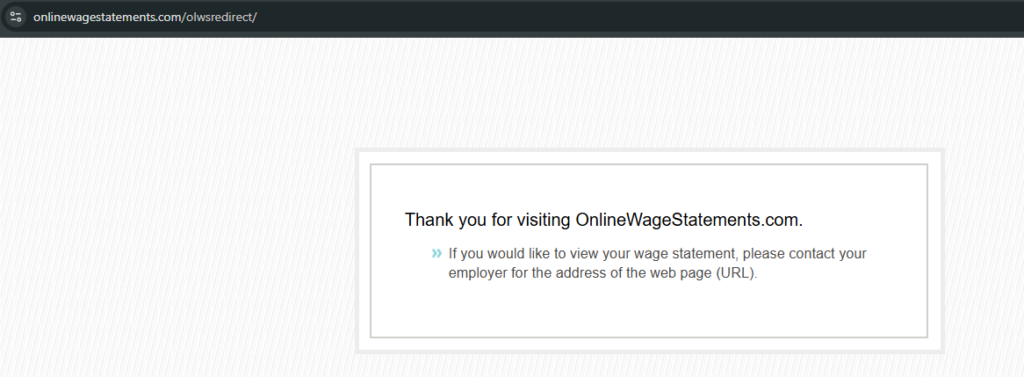
Online wage statements at onlinewagestatements.com/cbocs is a separate payroll system historically used by some Cracker Barrel employees — CBOCS stands for Cracker Barrel Old Country Store. Some employees, particularly those whose payroll is processed through Netspend or older systems, may still receive pay information here.
If Workday does not show your wage statements, try logging in at onlinewagestatements.com/cbocs using your employee credentials. If you are unsure which system your location uses, ask your store manager or check our Wage Statement guide.
How Do You Check Your Cracker Barrel Work Schedule?
Cracker Barrel work schedules are published and viewable in Workday’s Time worklet, accessible after logging in at crackerbarrel.onelogin.com. For the complete scheduling guide — including time-off requests, PTO balances, clocking in and out, shift swaps, and fixing a missing schedule — see the Cracker Barrel work schedule Page.
Steps to View Your Schedule
- Log in at crackerbarrel.onelogin.com
- Open Workday
- Navigate to the Time or Scheduling section
- Your current and upcoming shifts will be listed there
If a schedule is not showing, confirm with your manager that it has been published for the current week. Newly hired employees may not see scheduling data until their account is fully set up.
What Is Cracker Barrel Achievers?
Cracker Barrel Achievers (crackerbarrel.achievers.com) is the company’s employee recognition and rewards platform, separate from Workday. Employees use it to give and receive recognition from coworkers and managers, earn points, and redeem rewards.

Log in at crackerbarrel.achievers.com using your Cracker Barrel credentials. If you have trouble accessing Achievers, your login is typically the same as your OneLogin credentials — if it still fails, contact HR.
Does Cracker Barrel Workday Include Training and Development Tools?
Yes — Cracker Barrel employees access training materials, company policies, and career development tools directly through Workday, in addition to payroll and scheduling functions. The Career worklet on the Workday dashboard is where these resources live.
Through the Career and training sections of Workday, employees can:
- Access onboarding training modules — required courses assigned to new hires during their first weeks
- Complete compliance and food safety certifications — mandatory training that must be renewed periodically
- Review company policies and procedures — the employee handbook and operational standards are stored here
- Track performance goals and development plans — used during performance review cycles, particularly for employees on a management track
- View internal job postings — positions available for internal transfer or promotion appear in the Career worklet before being advertised externally
Training assignments are pushed to your Workday account by your store manager or HR. If a training module is overdue, it will appear as a task on your Workday home screen requiring action. Completing assigned training on time matters — overdue compliance certifications can affect your scheduling eligibility at some locations.
For employees working toward a shift leader or management role, the development plan tools in the Career worklet are worth engaging with proactively. The Cracker Barrel careers guide covers the full internal promotion track and how Workday fits into it.
Is the Cracker Barrel Employee Portal Secure?
Yes — the Cracker Barrel employee portal uses enterprise-grade security through OneLogin and Workday, two platforms that meet industry standards for protecting sensitive HR and payroll data. Understanding how this security works helps employees use the system safely and know what to do if something looks wrong.

How Your Login Is Protected
OneLogin secures every login with Single Sign-On (SSO) and multi-factor authentication (MFA). SSO means your one set of credentials controls access to all connected systems — Workday, Achievers, and any other integrated tools — reducing the number of passwords that could be compromised. MFA adds a second verification step, typically a code sent to your registered phone, that prevents access even if your password is stolen.
How Your Data Is Protected
All data transmitted between your device and Workday is encrypted in transit, meaning it cannot be read if intercepted. Payroll data, personal information, and tax documents stored in Workday are encrypted at rest as well. Access to specific data is controlled by your role — a team member sees their own pay stubs and schedule; a manager sees their team’s data; corporate HR sees broader records. No one outside their permission level can access your information.
What to Do If You Suspect Unauthorised Access
If you receive an MFA verification code you did not request, or if you notice unfamiliar activity on your Workday account — login from an unrecognised device, changes to your personal information, or payment elections you did not make — treat it as a potential security issue immediately.
Contact your store manager or HR department the same day. Do not wait. HR can lock your account, review recent activity logs, and escalate to the IT security team if needed. Change your OneLogin password immediately using a device you trust, and do not use the same password on any other site.
Reporting Security Issues
Report any suspected security issue to your HR department directly — not through email, not through a comment form, and not to a third-party site. Cracker Barrel’s IT and HR teams are the only parties who can investigate and act on security issues affecting your account. The payroll support line at 1-800-333-9566 can also route urgent security concerns during business hours.
What Should You Do When Front Porch Login Is Not Working?
Most Cracker Barrel login problems come down to three causes: wrong portal URL, expired password, or an inactive account. Here is how to fix each one.
1. Wrong URL
The old frontporchselfservice.crackerbarrel.com no longer works. Go to crackerbarrel.onelogin.com instead. Bookmark it.

2. Forgotten or Expired Password
On the OneLogin page, click Forgot Password and follow the prompts. You’ll receive a reset link at your registered email. If that email address is no longer accessible, contact your store manager or HR — they can initiate a password reset on your behalf.

3. Account Locked After Too Many Attempts
After several failed login attempts, OneLogin temporarily locks the account. Wait 15–30 minutes and try again, or call the support line:
- 1-800-333-9566 (Monday–Friday business hours)
4. New Hire Account Not Working
New hire accounts take 24–48 hours to activate after onboarding. If it has been longer than two business days and your account still does not work, speak with your store manager — they can escalate the activation with HR.

5. MFA Code Not Arriving
If you are not receiving your multi-factor authentication code, check that your registered phone number is correct in the system, and make sure you have cell signal or a stable connection. If the registered number is wrong, HR must update it before you can log in.
What Benefits Can Cracker Barrel Employees Manage Through the Portal?
Cracker Barrel employees manage health, dental, vision, life insurance, and 401(k) enrollment directly in Workday — no paperwork, no HR office visit needed. Benefits-eligible employees can make changes during annual open enrollment or after qualifying life events like marriage, having a child, or moving.
Benefits available through the portal include:
- Medical insurance — multiple plan options depending on employment status and hours
- Dental and vision coverage
- 401(k) retirement plan — with company matching contributions
- Life insurance and supplemental coverage
- Employee Assistance Program (EAP) — confidential counseling and support services
- Scholarship programs — Cracker Barrel offers educational assistance for eligible employees
To access benefits, log into Workday through crackerbarrel.onelogin.com and navigate to the Benefits worklet on your dashboard.
Who Can Use the Cracker Barrel Employee Portal?
The Cracker Barrel Front Porch portal and Workday are only available to current and recent former employees of Cracker Barrel Old Country Store. Access is not open to the public.
Eligible users include:
- Restaurant team members (servers, hosts, cooks, kitchen staff)
- Retail store associates and cashiers
- Store managers and assistant managers
- District managers and corporate staff
- New hires after account activation is completed
Former employees retain limited Workday access for a period after leaving — primarily to retrieve W-2 forms and final pay stubs.
Cracker Barrel Employee Portal — Quick Reference
| Task | Where to Go | URL |
| Login (all HR tasks) | OneLogin | crackerbarrel.onelogin.com |
| Pay stubs & W-2 | Workday via OneLogin | crackerbarrel.onelogin.com |
| Work schedule | Workday via OneLogin | crackerbarrel.onelogin.com |
| Benefits enrollment | Workday via OneLogin | crackerbarrel.onelogin.com |
| Online wage statements | CBOCS portal | onlinewagestatements.com/cbocs |
| Employee recognition | Achievers | crackerbarrel.achievers.com |
| Job applications | Cracker Barrel Careers | careers.crackerbarrel.com |
| Password reset help | Payroll support | 1-800-333-9566 |
| Employee feedback survey | Front Porch Survey | crackerbarrelsfrontporch.us/survey/ |
| All portal features | Features guide | crackerbarrelsfrontporch.us/features/ |
Leave a Reply